
In short
An AI chief of staff is a personal AI executive assistant that knows your working context: email, calendar and calls. It prepares your day and every meeting, answers questions with sources and drafts replies that go out only after you approve them. LEADBeyond, a boutique strategy consultancy from Munich founded by former partners at McKinsey & Company and Roland Berger, built one for its own work: Maverick. From the first architecture decision to today's scope took about three months. We use the same method to build AI use cases for our clients.
Key takeaways
- The problem: work lives in mail, calendar, Teams, Drive and several AI chats. Context gets lost, and every meeting prep starts with searching.
- Maverick brings Gmail, Google Calendar and recorded calls into one private memory and answers questions with sources.
- Written by Maverick, sent only by you: emails and invitations go out only after explicit approval, on the Mac with Touch ID.
- Built with AI coding agents such as Claude Code in about three months, with more than 130 written architecture decisions.
- Each person gets their own instance, hosted in Frankfurt; the AI runs on the Claude plan you already pay for.
- What carries over to your AI use cases: start with a daily workflow, evidence before eloquence, human approval before any outbound action.
The film: Maverick in just over two minutes
What the film shows, in short:
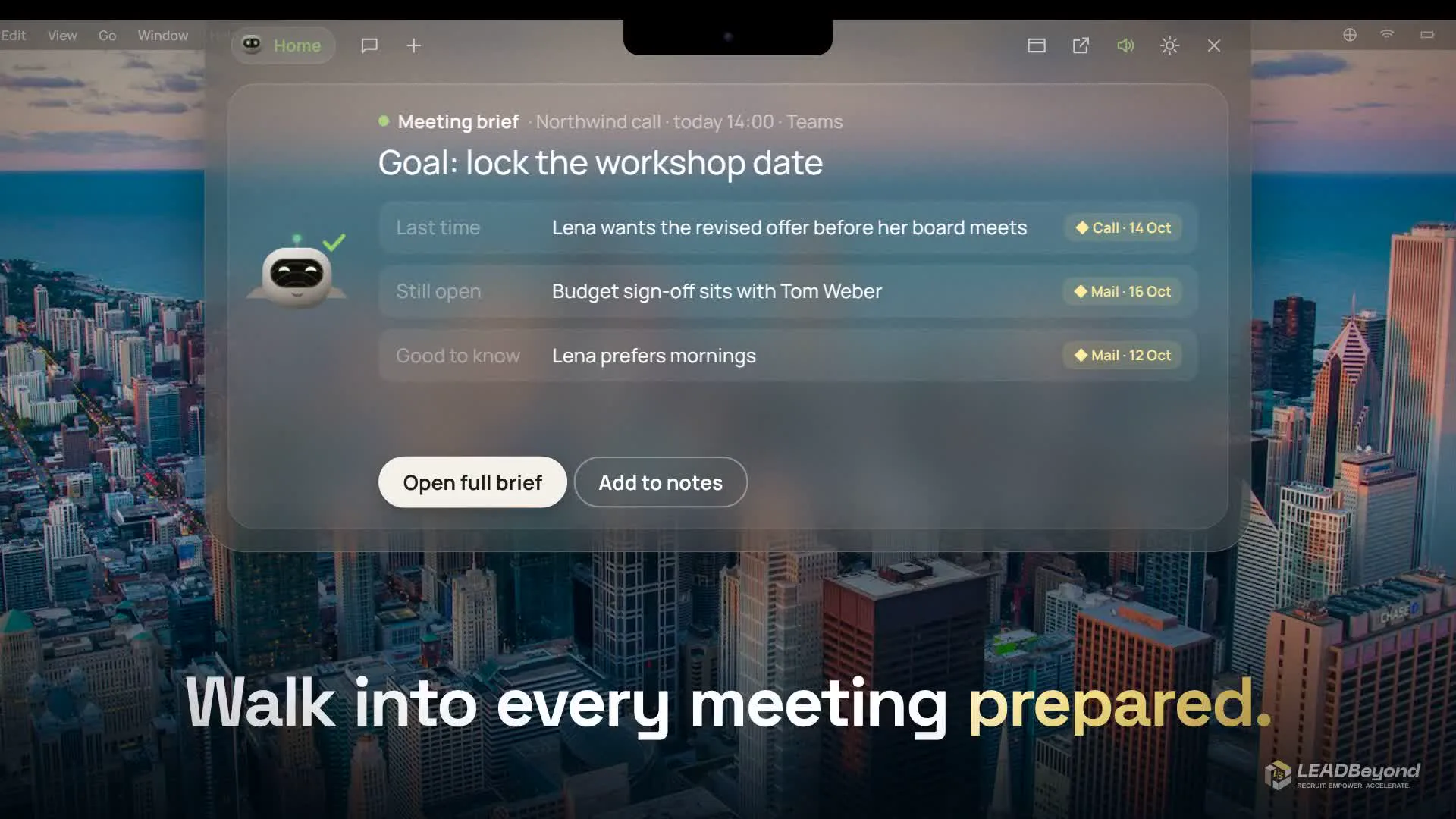
- Start of the day. "3 things need you today": a corrected invoice, three emails waiting for a reply, and a 14:00 call whose brief is already ready.
- Meeting brief. The goal of the meeting, what was said last time, what is still open, and a source for every line: a call or an email with its date.
- Spoken questions. "What did Lena say about the budget?" The answer names the two calls and the email it comes from.
- Email draft. Maverick writes the reply; it is sent only after Touch ID approval, and exactly the version you saw.
- In the call. Live captions during the conversation and a task board that fills from emails and calls.
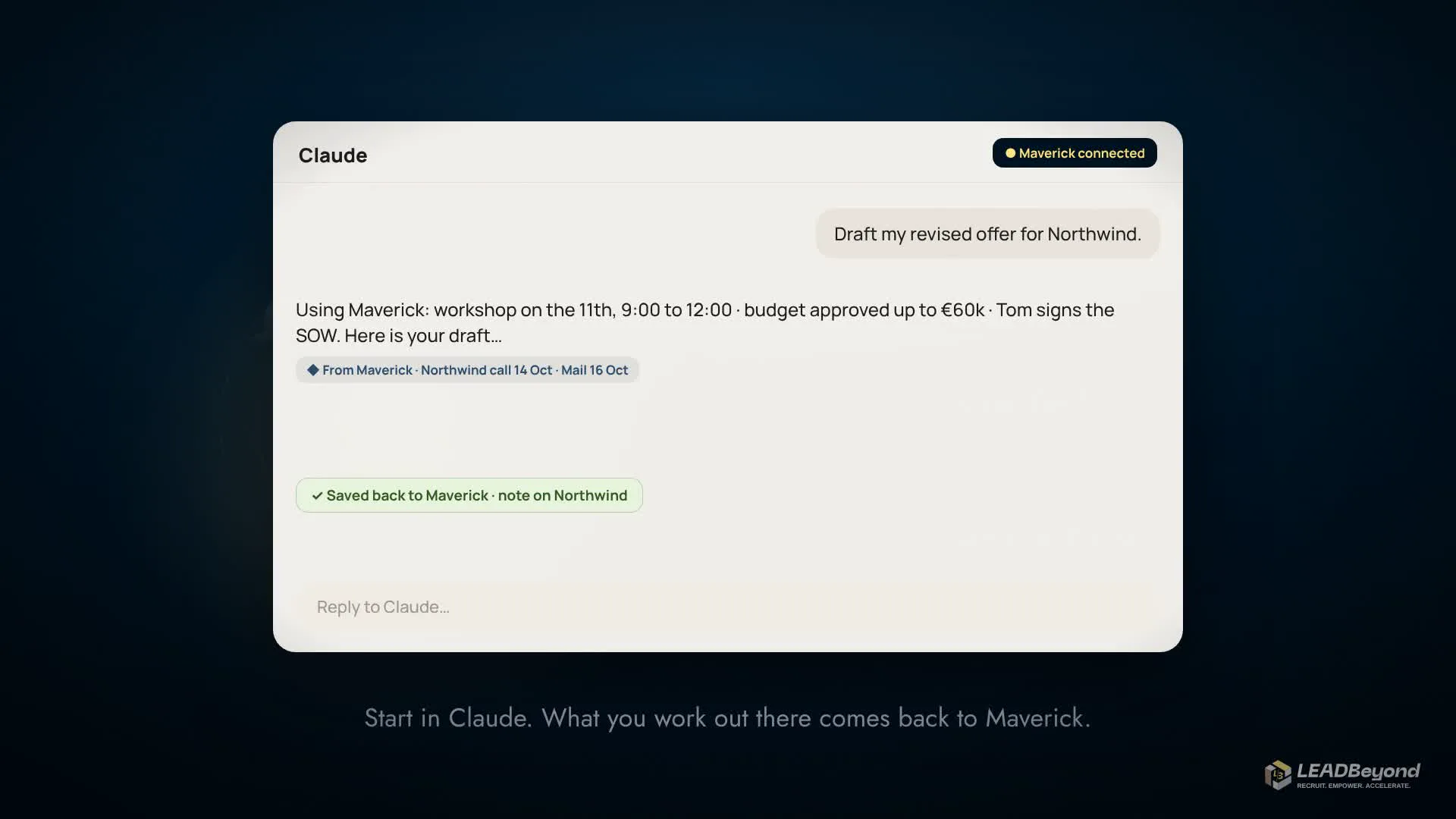
- Inside Claude. Draft something in Claude and it pulls the facts from Maverick; the result flows back as a note.
What is an AI chief of staff?
Definition
AI chief of staff is what we call a personal AI assistant that works for a leader the way a good chief of staff does: it knows the meetings, commitments and conversations, prepares meetings and decisions, and follows up on what is open. It never acts on its own: a human approves every outbound action.
General AI chats write well, but they do not know your working context. Every question starts with copy and paste, and the next day the context is gone again. An AI executive assistant only becomes a chief of staff once it is connected to your own sources and shows where each statement comes from. That was the job we set Maverick.
What Maverick does in a working day
- Start my day. The day starts with a short conversation: what must happen today, what is strategic, what waits on someone, what can move, and one next step. Your answers change the real tasks.
- Meeting prep. A brief for every meeting from calendar, email and earlier calls, with the goal and the open points.
- Search your own memory. Find half-remembered emails and moments in calls; every answer links its evidence. Where evidence is missing or conflicting, Maverick says so instead of inventing a smooth answer.
- Commitments. Promises in sent emails become suggestions; they turn into tasks only after you confirm them.
- Calls. A Mac app detects calls in Zoom, Teams, Webex or Google Meet, shows live captions and files the transcript in memory.
- Prepare, never act alone. Maverick drafts emails and calendar invitations; only what you confirm goes out.
- With the AI you already use. Maverick is connected to Claude as a connector: what you work out there flows back into memory.
How we built our AI assistant with Claude Code
Maverick is our own build. We recorded the first architecture decision on 26 July 2026; since then the tool has grown in small, checked steps. AI coding agents write the code, mainly Claude Code. We set the rules, the same way we do in Vibe Tooling for clients.
- One daily workflow at the core. The first scope was deliberately narrow: one Google Workspace account and one sentence, "Maverick, start my day". More features came only once that workflow held.
- Specification and decisions in writing. A product specification, security rules and, by now, more than 130 architecture decisions. A change that departs from them needs a new decision, not just new code.
- Evidence before eloquence. The product rule: an elegant answer with incomplete or misattributed evidence is a failure. So Maverick retrieves the sources first and writes second.
- Controlled outbound actions. Gmail is read-only with one exception: sending a prepared draft after explicit approval. Calendar events, too, are created only once their exact content is approved.
- Checks before every change. Automated tests, pipeline checks and code reviews by AI models before a change goes live.
Privacy: where the data lives
Maverick runs as a private instance for exactly one person, hosted in Frankfurt. Every stored record belongs to that person; Maverick never touches anyone else's mailbox or calendar. The language model receives only the passages found for the question at hand, never the whole mailbox. The AI runs on the Claude plan we already pay for; no additional AI contract is needed.
Five rules for your AI use cases
- Start with a workflow that happens every day. A daily workflow shows quickly whether the tool holds; a rare edge case does not.
- Connect the sources first, then let the AI write. Without access to your own data, an AI assistant stays a chat.
- Back every statement. If you can see the source, you can trust the answer or check it.
- A human approves. AI may prepare; sending, booking and changing happen only after confirmation.
- Use the systems and plans you already have. Maverick works with Google Workspace and Claude: no new core system, no new AI contract.
From Maverick to your AI use case
Maverick itself is our internal tool. What we learned building it, we apply for clients: pick one workflow, check the standard tools first, write the specification and test cases with the business team, build with AI coding agents and put it into operation. More on this offer at accelerate.leadbeyond.de. We are happy to show Maverick in a live demo.
Frequently asked questions
What is an AI chief of staff?
A personal AI assistant that works for a leader like a chief of staff: it knows the meetings, commitments and conversations, prepares meetings and follows up on what is open. A human approves every outbound action.
What is the difference between an AI chief of staff and an AI executive assistant?
An AI executive assistant usually handles tasks such as email and scheduling. An AI chief of staff also keeps the context: what was promised, what is open, what the next meeting needs, with a source for each point.
How much does an AI chief of staff cost?
For Maverick, running costs are hosting plus the Claude plan we already pay for. The build depends on scope; Maverick grew to its current scope in about three months. We quote for your case after a short conversation.
How do you build an AI chief of staff?
Start with one daily workflow, connect the sources (email, calendar, calls), retrieve evidence before generating, and require human approval for anything outbound. We built Maverick this way with AI coding agents such as Claude Code, guided by a written specification and architecture decisions.
Does the AI read all my email?
Maverick reads the connected mailbox to answer questions and prepare briefs. The language model receives only the passages found for each question. The only thing it sends is a prepared draft, after explicit approval.
Can I buy Maverick?
Maverick is our internal tool, and we are happy to show it in a live demo. For your company we build a tool for your workflow with the same method, whether an assistant for leaders or another AI use case.